AdSense ad placement mistakes that trigger rejection
A practical ad placement policy guide for site owners who want to protect UX, avoid invalid-click patterns, and reduce rejection risk.
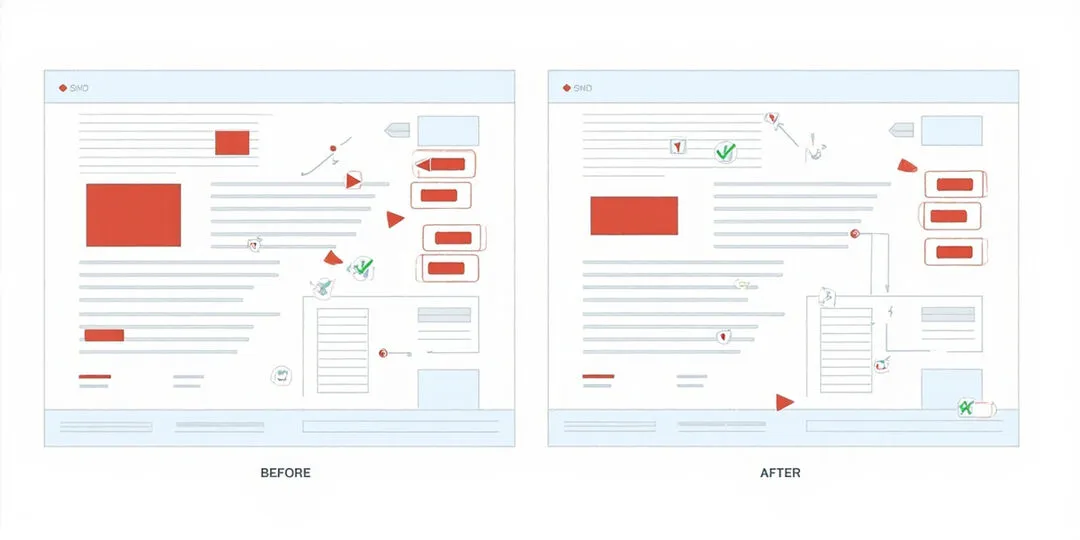
AdSense ad placement policy violations often come from layout shortcuts instead of a single explicit rule break. This guide covers the most common ad placement mistakes and shows how to fix them without reducing page utility.
Why ad placement mistakes are high risk
Review systems look for intent mismatch and accidental-click risk. If ads look like menu items, buttons, or required steps, trust drops fast. Even with acceptable content, placement patterns can still trigger rejection.
Five ad placement mistakes to eliminate
- Ad blocks too close to navigation links or primary actions.
- Labels that imply ad units are site recommendations or required steps.
- Stacked ads above the fold that hide core content.
- Mobile layouts where sticky ads block form input or reading flow.
- Visual styles that make ads indistinguishable from article modules.
Implementation checklist before reapplying
- Keep clear spacing between ads and navigation or CTA controls.
- Preserve an obvious visual boundary for every ad unit.
- Validate mobile viewport behavior for all major templates.
- Review ad density on high-traffic pages first.
- Run core pages checker and then readiness audit before submission.
How this connects to invalid clicks and impressions
Poor ad placement increases accidental clicks, which can cascade into invalid traffic reviews. Treat placement and traffic quality as one system, not two independent tasks.
If your current templates were tuned for RPM only, rebalance now. A stable policy-safe layout is worth more than short-lived gains from aggressive positions.
Can ad placement alone trigger AdSense rejection?
Yes. If ads look like navigation or action buttons, reviewers can treat that layout as a policy risk even when content is strong.
Is above-the-fold placement mandatory for good monetization?
No. Safer placements lower click confusion risk and can protect long-term approval outcomes.
How can teams find risky templates quickly?
Use core pages checker to locate layouts where ad blocks compete with primary user actions.
References
- Google AdSense Help — Ad placement policies(2026-08-31)
- Google AdSense Help — Program policies overview(2026-08-31)
- Google AdSense Help — Invalid traffic(2026-08-31)